
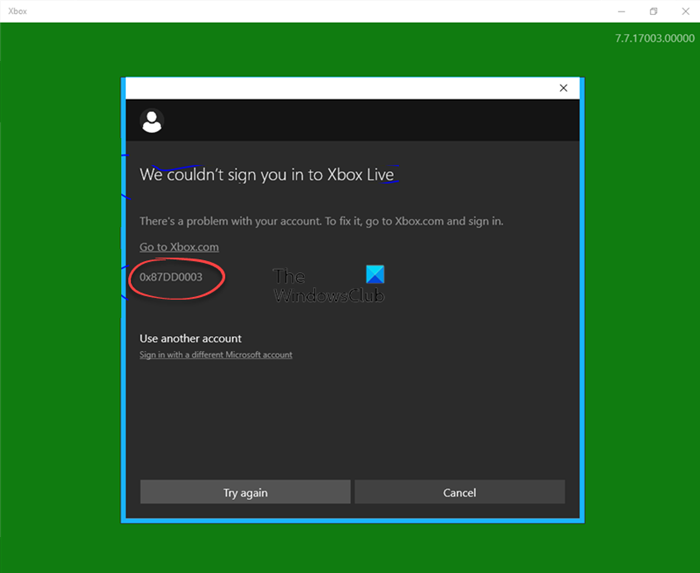

If you see Error code 0x87DD0003 when you try to sign in to your Xbox account, while trying to connect to Xbox Live or signing in on the Xbox app on PC or on Xbox One, then this post will help you.

Fix 0x87DD0003 Xbox sign in error
The most common reason for such errors is, however, a weak internet connection or server errors, there can be some issues with your Xbox console or the Xbox live services. Let’s learn about the issue in a bit more detail and check the fixes available.
- Check your internet connection
- Check the Xbox Status
- Power restart the console
- Remove and re-add your account
- Troubleshoot your Xbox network connection
1] Check your internet connection
Before we proceed with the fixes, check with your internet connection. No connection or even intermittent connection may result in this error. Once your internet connection is restored, try signing in.
2] Check the Xbox Status
Sometimes the Xbox service goes down, which results in such errors, thus, before we proceed with any of the fixes, first check your Xbox Status. Check if all the services are running fine.
To check the Xbox Status, Go to the Xbox Status Page and log in to your account. (If you are a regular player and often get such errors, it is a good idea to bookmark this page.) Check if the Service is up and running or not.
If any Service is not running, all you can do is wait. The status is updated every 30 minutes.
3] Power Restart the console
If there is no service outage and you are still not able to log in, it should be due to some local glitched. Try power restarting your console.
- To turn off your console, press and hold the Xbox button for 10 seconds.
- When the light stops flashing, it means your console is turned off.
- Take out all the cables from the console.
- Wait for a few minutes, reconnect the cables and start your console by pressing the Xbox button.
- This should solve your problem.
4] Remove and re-add your account
To remove your account from the console-
- Press the Xbox button.
- Select Profile & system and click on Settings.
- Go to Account and click on Remove accounts.
- Select your account and remove it.
- Restart your console.
To re-add your account to the console-
- Press the Xbox and go to Profile & system.
- Click on Add or switch and select Select Add new.
- Add your details and follow the instructions.
5] Troubleshoot your Xbox Network Connection
If none of the above-mentioned fixes are working for you, you should troubleshoot the Xbox network connection. Check out the official Xbox Support Page to see the troubleshooting guidelines.
Why is my Xbox app glitching?
There can be several reasons for your Xbox app not loading. It could be due to the outdated app, interrupted internet connection, or the Xbox Live server issues.
Can’t connect right now Xbox app?
Press the Xbox button and click on Profile 7 system > Settings > Devices 7 connections > Remote features > Xbox app preferences and Allow the connections from any device.

Source link
www.thewindowsclub.com