
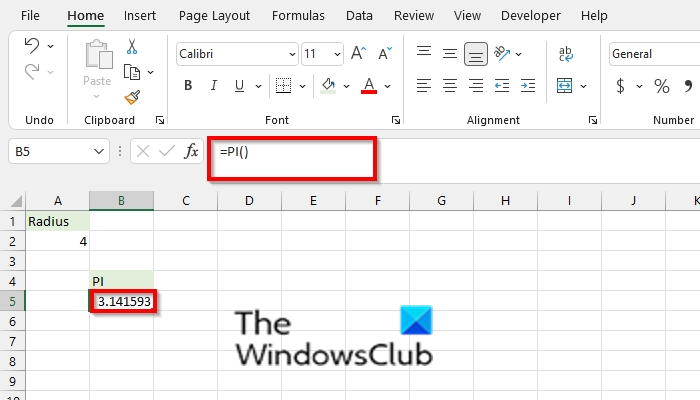

The PI function in Microsoft Excel is a Math and Trigonometry function, and it returns the value of PI. The formula for the PI formula is =PI (). The PI function syntax has no arguments.
How to use the PI function in Excel
Follow the steps below to use the PI function in Microsoft Excel:
- Launch Microsoft Excel
- Create a table or use an existing table from your files
- Place the formula into the cell you want to see the result
- Press the Enter Key
Launch Microsoft Excel.
Create a table or use an existing table from your files.

Place the formula =PI() into the cell you want to see the result.
Press the Enter key to see the result.
Excel will return the PI 3.141593.

Type into the cell =PI()/2 and press enter. Excel will return the PI divided by 2, which gives the result of 1.570796.

Type into the cell =PI()*(A2^2) and press enter. Excel will return the result 50.26548. The A2 cell contains the area of the circle with a radius.
There are two other methods to use the PI function.
Method one is to click the fx button on the top left of the Excel worksheet.
An Insert Function dialog box will appear.

Inside the dialog box in the section, Select a Category, select Math and Trigonometry from the list box.
In the section Select a Function, choose the PI function from the list.
Then click OK.
A Function Arguments dialog box will open.
Then click OK.

Method two is to click the Formulas tab, then click the Math and Trigonometry button in the Function Library group.
Then select PI from the drop-down menu.
A Function Arguments dialog box will open.
What does PI mean in math?
In Math, Pi is defined as the ratio of a circle’s circumference to its diameter. The value of PI is 3.14, and regardless of circle size, this ratio will always equal PI. PI is written as the Greek letter for p or π.
How to multiply by PI in Excel?
Excel is a program that can be used to calculate math. Normally, when users multiply PI in Excel, it is when they want to calculate the area of the circle from the diameter or radius; for example, calculating an area of the circle from the diameter, =PI()*3 or calculating an area of the circle from the radius =PI()/4*3^2.
We hope this tutorial helps you understand how to use the PI function in Microsoft Excel; if you have questions about the tutorial, let us know in the comments.

Source link
www.thewindowsclub.com