
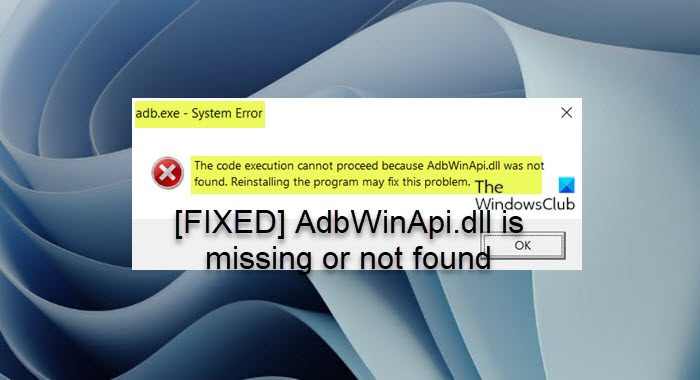

When you try to unlock the bootloader on your Android mobile phone on your Windows 11 or Windows 10 computer, you may get the AdbWinApi.dll is missing or not found error prompt; which can also be triggered at every system startup. This post provides guidance on how to resolve this issue.

When this error is triggered on your PC, you’ll get the error message along the following lines;
- The program can’t start because AdbWinApi.dll is missing from your computer. Try reinstalling the program to fix this problem.
- This application failed to start because AdbWinApi.dll was not found. Re-installing the application may fix this problem.
- The code execution cannot proceed because AdbWinApi.dll was not found. Re-installing the application may fix this problem.
AdbWinApi.dll is missing or was not found in Windows 11/10
Depending on the scenario, you get the error message AdbWinAPi.dll is missing or not found on your Windows 11/10, which is either when you’re trying to unlock your Android phone or during every system startup, you can try Fix 1 if the former is the case and Fix 2 for the latter.
1] Copy AdbWinApi.dll to the unlock folder
If you get the AdbWinAPi.dll is missing or not found error when you try to unlock your Android phone on your Windows 11/10 computer, the issue can usually be fixed by moving the adbWinAPI.dll file along with both the adb.exe and Fastboot.exe files from the SDK folder to C:android root folder. To perform this task, do the following:
- If you have already installed Android Studio, Eclipse, or another Android IDE, you’ll already have the Android SDK installed on your system. Otherwise, download from the official Android site. Alternatively, you can also download the Mini-SDK which is extremely lightweight and contains all the necessary files.
- Once you have downloaded and installed the package, navigate to the SDK installation folder. The default location is:
C:android-SDK-windows
- At the location, access the platform tools folder and copy the 3 files identified above.
- Now, paste the three files in the folder that contains the files necessary to unlock your phone.
Once done, you can now resume the unlock process. You should be able to complete the process without issues.
Read: ADB is not recognized in Windows 11
2] Use Autoruns to remove leftover startup items and registry keys

If the error prompt keeps popping up each time you start your Windows 11/10 PC, it’s possibly due to after you or your security software incompletely removed the Android SDK package or Android Debug Bridge on your system. In this case, to resolve the issue, you’ll need to use Microsoft Autoruns to remove leftover startup items and registry keys. To perform this task, do the following:
- Download Microsoft Autoruns on your PC.
- Once the download is complete, unzip the archive package to a dedicated folder because the archive doesn’t contain a root folder.
- Next, open the Autoruns folder.
- Now, double-click on Autoruns.exe to open the software.
Depending on your PC specs and how many startup items, you may have to wait a while for the app to populate the Everything list.
- Once all the startup entries are fully loaded, press Ctrl + F to open up the search function.
- Next, type AdbWinApi.dll in the Find what field.
- Click the Find Next button.
- In the search result, right-click on the highlighted entry and see which program uses it by looking at the Description and Location.
- Now, if you determine that you no longer use that program or it’s no longer present on your PC, you can right-click on the entry and choose Delete.
- Repeat this for every highlighted entry that is not accounted for.
- Exit Autoruns when done.
- Reboot your computer.
At the next system startup, the error prompt shouldn’t pop up.
Read: Remove dead Startup programs from Task Manager
What is AdbWinApi.dll?
The AdbWinApi.dll file is part of the Android Debug Bridge tool. It’s included by default with the Android SDK and is frequently used during the unlock process of the majority of smartphone models. If the file is missing or not found, to fix the error is different depending on when you get the error message.
How do I fix missing dll?
If the User32.dll error message appeared during or after you installed a program, a hardware component, or a driver, uninstall the program, the hardware component, or the driver. Then restart Windows, and reinstall the program, the hardware component, or the driver. The sfc /scannow command can also be used to scan all protected system files, and replace corrupted files with a cached copy.
What causes dll files to go missing?
DLL files may go missing on your Windows 11/10 computer due to the following reasons: when a program is uninstalled or installed or you have tried to clean up space on the hard disk. A recent application installation sometimes overwrites an existing DLL file with an incompatible or invalid DLL file. A malicious program has deleted or damaged a DLL file.
Read: DLL is either not designed to run on Windows or it contains an error
Are DLL files drivers?
Typically, a driver is a dynamic-link library (DLL) with the .sys file name extension. Long file names are allowed, except for boot-start drivers. A DLL is a collection of small programs that larger programs can load when needed to complete specific tasks. The small program, called a DLL file, contains instructions that help the larger program handle what may not be a core function of the original program.
Read: How to download & install Fastboot drivers on Windows 11
How do I install a DLL file on Windows 10 64 bit?
To register 32 or 64-bit DLLs in Windows 11/10, do the following:
- Press Windows key + R to invoke the Run dialog.
- Now all you have to do to register a DLL file is to type in the regsvr32 command, followed by the path of the DLL file.
- Finally, click OK and you should get a confirmation message that the DLL has been registered successfully.
Should you download DLL files?
DLL files from DLL Download Sites may be Infected may be laden virus/malware. Since DLL download sites aren’t approved sources for DLL files and often have little if any contact information available, there’s no guarantee that the file you just downloaded is free from a virus infection. It’s recommended to download such files from a trusted source like Winbindex.
Source link
www.thewindowsclub.com